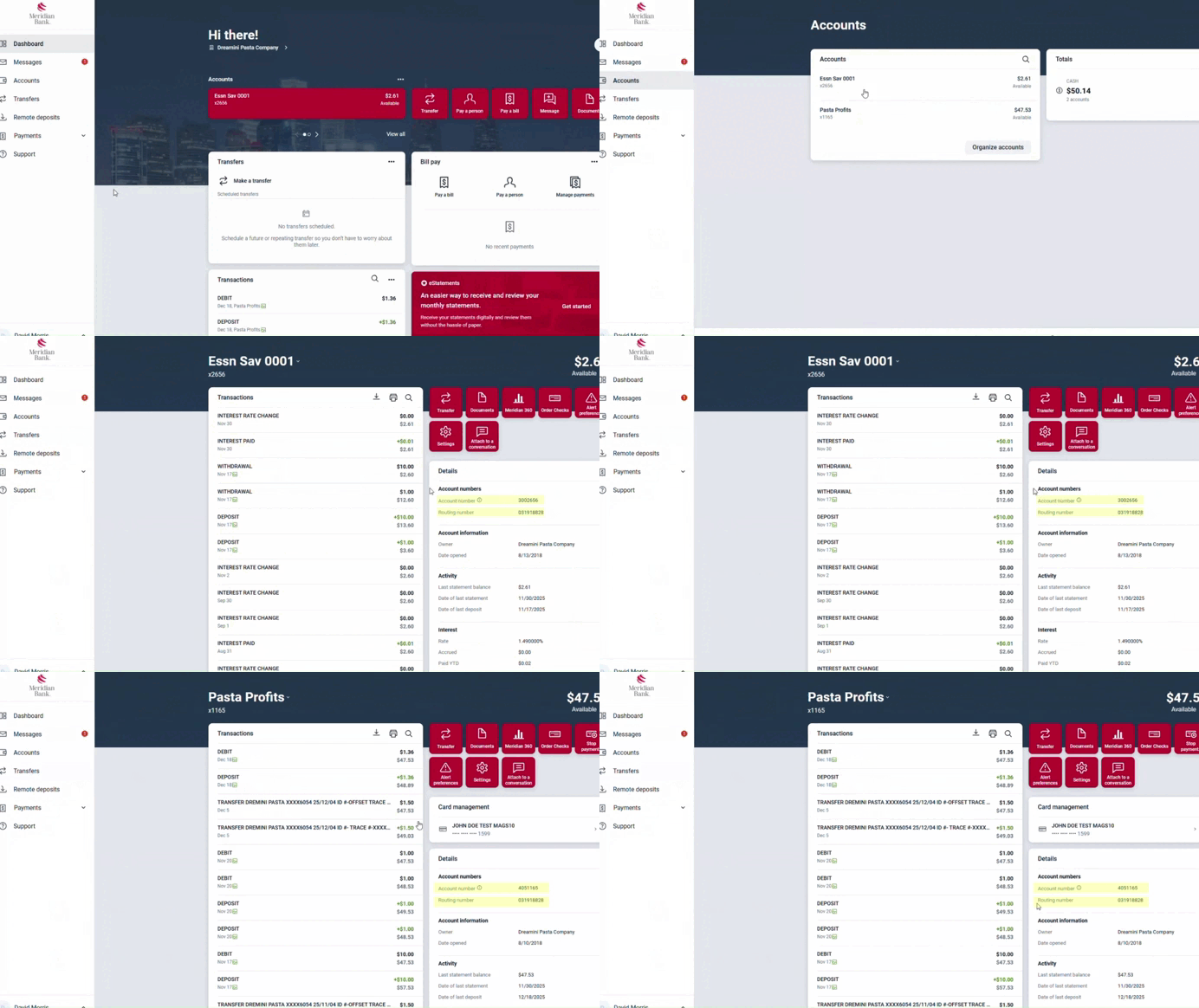
Learn how to quickly and easily find your Account and Routing Numbers in Meridian’s Digital Banking platform with these simple steps!
Account & Routing Numbers
- Once logged into Meridian’s Digital Banking, select “Accounts” from the left-hand menu.
- Select any of your Meridian accounts.
- In the right-hand column under “Details” look for the section titled “Account Numbers” and look for the Account and Routing Numbers listed.