Changing Your Password
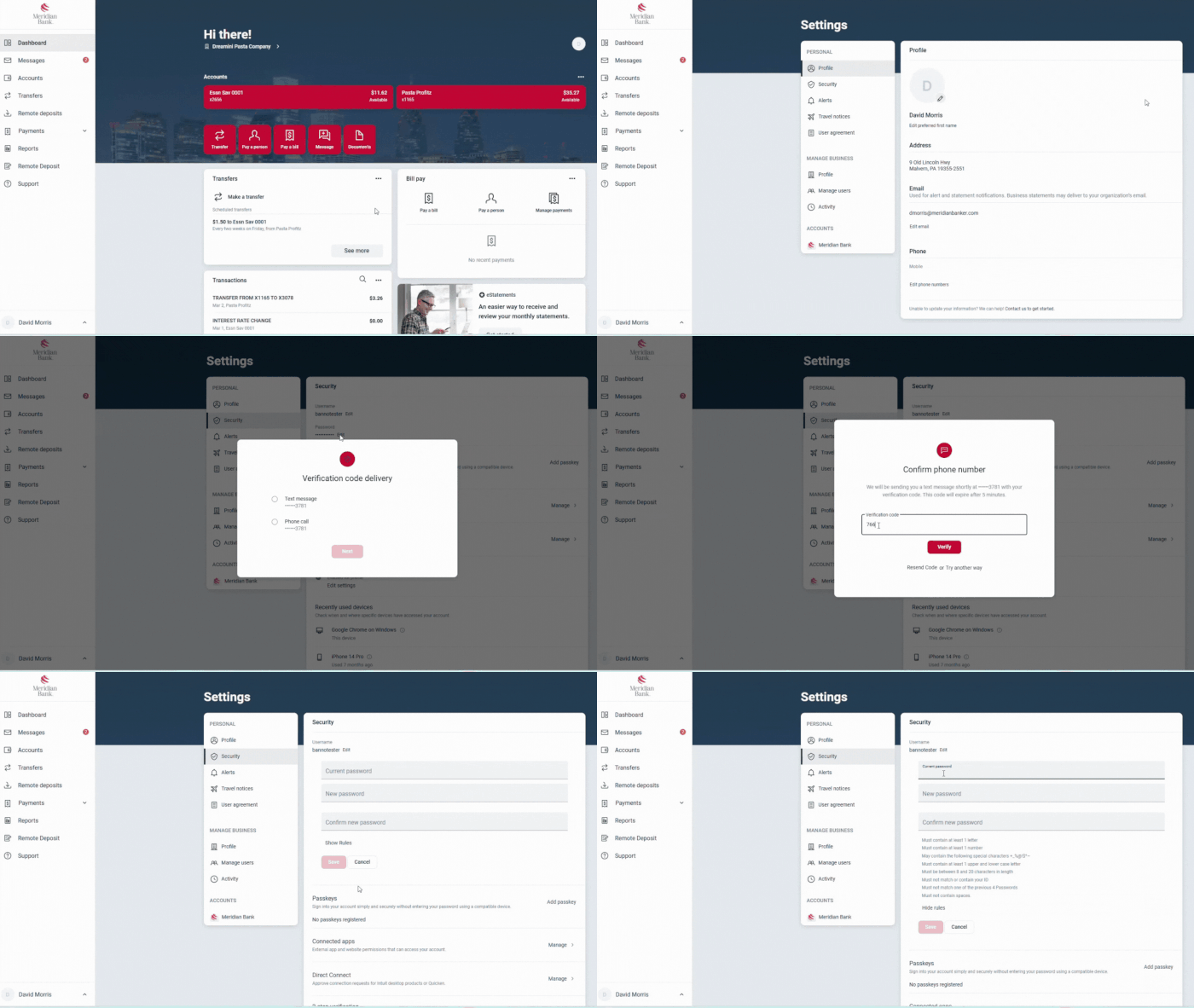
- Once logged into Meridian’s Digital Banking, select your user profile icon in the top right-hand corner.
- Select “Settings” from the dropdown.
- Select “Security” under the “Personal” menu.
- Select “Edit” next to “Password.”
- You will be prompted to input two-factor authentication credentials.
- After confirming your credentials, type in your current password followed by the new password. To view the password requirements, select “Show Rules” under the “Confirm New Password” field.